
I am pleased to announce the release of HemoSpat 2.1 for macOS 14, macOS 15, Windows 10, and Windows 11.

This release adds a new glTF exporter, builds on the previous work on cast-off patterns, adds ARM builds for macOS, adds a log to help diagnose issues, and fixes several bugs.
(Please see the release notes for details of the changes in HemoSpat 2.1.)
Major New Features
glTF Exporter
HemoSpat has always provided a variety of 3D exporters, supporting many open formats. This lets the user import their HemoSpat analysis into most other 3rd party software (modelling tools, game engines, point cloud software, etc.).
glTF is a widely used open 3D scene file format. It is the successor to the COLLADA format and is used in many 3D modelling tools and game engines. There are also free online viewers available (e.g. this site from The Khronos Group).

Cast-off Patterns
I focused a lot on improving the cast-off analysis capabilities. This includes adding techniques useful for research such as entering known plans and comparing against results, adding an option to use only the stain location and not the tangent intersection for individual stains, adding a way to visualize the cast-off & known planes in the 2D & 3D Viewers, and adding a way to export them in (most of) the exporters.
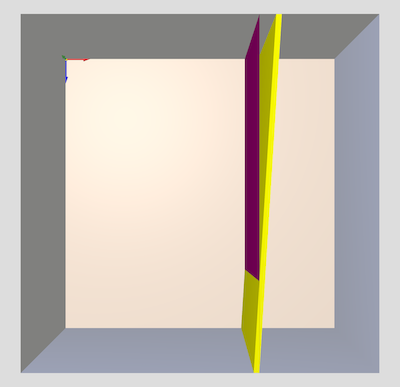
The 2D Viewer also received some tools to work better with cast-off planes such as the ability to show/hide the tangent lines, the planes themselves, and any known planes.
Logging
HemoSpat now logs several things to a file when it is run. This will be useful in helping diagnose issues going forward.
Feedback
HemoSpat is a one-man show, so I can only focus on one thing at a time. I rely on feedback to help figure out what I should be focusing on.
It would be very helpful to know:
- What features (reports, viewers, exporters, etc.) do you use the most?
- What features do you never use?
- What features do you have to use that you don’t like using or don’t understand?
- What’s missing to help you do your job more effectively?
- What do you wish HemoSpat could do for you that it doesn’t?
- If you don’t use HemoSpat, why not? What’s missing?
Basically, any information on how you use (or don’t use!) HemoSpat and what you would like to see in the future would be helpful. I look forward to any and all feedback. Please feel free to get in touch by email, using the contact form, or using the support form on the user site (requires login).
Known Issues
- The new results window adds new rows for impact pattern changes instead of updating the existing one.
- The new results window does not properly remove results when a pattern is deleted.
- The image info window (EXIF data) would be blank if the first time it was shown was by selecting it from the Image menu.
- The mouse cursor doesn’t change to the pointer when using the crop tool and moving over a control point.
- Importing images using the menu would not select the first image by default. This is inconsistent with dragging images to the pattern area.
- Importing multiple stains at once via the menu or drag & drop would swap the first two working images, though the thumbnails were correct. Saving and reopening the project fixes it. (Bug introduced in version 2.0.)
- Deleting the last pattern does not reset the data entry area & then crashes when user drags in new images. (Bug introduced in version 2.0.)
These issues have been fixed and will be part of a future 2.1.1 release.